How To Set Up Your Small Business on Pinterest in 2022

Pinterest offers businesses a fairly unique proposition. Like other social media networks, it’s a place to connect with friends and influencers. If you sell physical products, one of the most obvious ways to use Pinterest is to share images of those products. Your photos can feature different variations of colors and styles and even photos of your customers using your products.

When you’re ready to get started with Pinterest, start with a business account. First, create a business account. Start with an eye-catching profile. Start here – pinterest.com/business/create

1. Verify your website (business website).
> Go to your profile and click on the pencil in the bottom-right corner of the name box. Don’t see the pencil? Go to the menu in the upper right corner, select Settings, and go to Step 2.
> Enter your web address in the Website field, then click Verify Website.
> Follow the instructions on the next page. You can verify with an HTML file or a META tag.
> Once your website’s been verified, you’ll see a checkmark next to it and will have access to your web analytics when you’re logged in

Add the Pin It button to your site. Make it easy to Pin from your website or blog. Go here for directions.

2. Get creative. Make your Pinterest board stand out in the crowd. Use high quality .png images. Example, If your a clothing boutique, take digital pics of all your new inventory (clothes) hanging in your store. Images sell. Your selling your store, your style, your products, your design. High quality digital pics drive customers to your store. Think about it being an online mall your walking through. Create a range of boards that showcase your store’s personality and taste, and make sure each board has enough pins to make it feel substantial. Remember that people can choose which boards they want to follow, so not every board has to appeal to everyone. Pinterest users have been more heavily female (about 65%), so keep that in mind as well.  If your customer base is mainly men, Pinterest might not be right for you just yet.

3. Publish high resolution photos of your product. The ideal image dimension is 736 pixels wide. Pinterest will display your image at it’s maximum size up to 736 pixels wide. As long as its 736 pixels wide, Pinterest will adjust the dimensions. Also, highlight customers using your product. Ask them to submit pictures. Acknowledge them and give them a discount coupon for this content.
> Make sure you have your Pin logo up on your website that will allow online traffic to click over to your Pinterest page.
> Use rich pins to automatically include information like prices, availability, ingredients and reviews with your pins. All you need to do is add some meta tags, keywords, and .
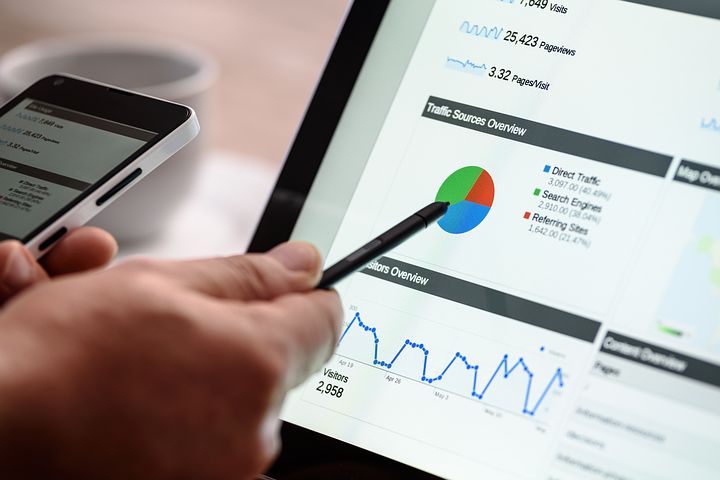
> Learn and keep checking your Pinterest Analytics dashboard! Pinterest Analytics dashboard shows you which pins are most popular with pinners and which ones are driving the most traffic to your site. You can also see what boards your stuff appears on, how the pins are described and what people pin along with your stuff. All of these insights will help you make smarter choices about your merchandising, product development and pinning strategy.

4. Motivate people to pin. The more people pin your content, the more discoverable it becomes. To encourage more pinning, make it easy to pin from your website and email marketing, and promote pinning in your social channels Like Twitter & Facebook, packaging and advertising. Push people to your Pinterest website and in turn they will visit your actual business website and store in real life. Be sure to add links to your company website and Twitter page on your Pinterest profile. You can also bring users to specific web pages by adding the URL in the pin description.

5. Pin at least once a day so your followers get fresh content in their home feeds. Just like with boards, thoughtful descriptions will make your pins more inspiring and searchable. Never Pin inappropriate material. Keep your personal Pinterest account separate from your business account. What makes a good pin description? Check out these tips:

  • Recipes: Describe the main ingredients of the dish and how to cook it
  • Fashion: Include what kind of clothing, the designer or season to wear it
  • Travel: Tell people the local on and the kinds of things you can do there
  • DIY: Describe what it is, how you make it and what materials people need
  • Photography: Name the photographer, year, subject or publication
  • Design: Mention the designer, medium, publication, etc

Last Pinterest tip: Once you are on Pinterest, add the Pinterest follow button to your social media pages and even your printed materials. This is a good way to jump start your Pinterest presence. A great Pinterest marketing article for small business (SMB) in 2021 is here.


Online Marketing Juice on Twitter

Online Marketing Juice is on Twitter! Get your daily original digital and social media blog post updates…as well as added “curated digital marketing” with a Financial Advisor & specialization. Head over to the Twitter platform here: @Online_Juice

I cover digital marketing and social media strategy. Keep you up to date on the latest in SEO, Financial Advisor Marketing, Social Media, Digital Marketing & Tools, Website Design & Optimization, Landing Page tips, Content Strategy, Automation, #FINTECH, and much much more!


Quick List of The Best Digital Marketing Weapons (Tools) in 2022

Digital Marketing tools are constantly evolving and changing. They deliver benefits to any organization willing to build up a digital marketing team. Benefits include enhanced credibility, fast and easy access, increases customer relationships, feedback and reviews are easily tracked, cost effective, and can reach an enormous mass of people in a short amount of time. The below is a short list of digital tools in a ever changing digital marketing environment.

Google Analytics. Enough said on this one. Google Analytics is a free web analytics tool offered by Google to help you analyze your website traffic. Fundamentals of working with report data to advanced segmentation and analytics intelligence. Key for measuring and tweaking your marketing campaigns. Google keeps adding more and more functionality each year.

Google Keyword Planner. Once known as the Google Keyword Tool, Keyword Planner is a tool that every search marketer needs to familiarize themselves with and get to know inside out. It is a great way to discover new keywords to target in your campaigns, understand how searches across keywords have changed over time, see suggested bid estimates to help plan your Google Ads budget and more. You can extract valuable data about the demand and competition level of keywords you wish to target organically. The tool will also suggest similar keywords to the one in your query to give you alternative, relevant options for your keyword targeting. The Google Keyword Planner can come in handy whether you’re building your very first keyword list or looking to expand and/or switch directions in your keyword and content strategies.

SEOquake. This is a great Firefox extension. SEOquake is a free SEO extension by Semrush which helps you accelerate your SEO efforts on the fly. SEOquake provides you with key SEO metrics for a specific page, along with other useful tools such as the SEO Audit tool, the Keyword Density report, Internal/External link analysis, and even social metrics.

Salesforce Marketing Cloud. A powerful tool that lets you monitor specific keywords and phrases that are dominating conversations across the social media sphere. Marketing Cloud is also a platform for delivering relevant, personalized journeys across channels and devices — enabling marketers to deliver the right message at the right time throughout all phases of the relationship. Marketing Cloud includes integrated solutions for customer journey management, email, mobile, social, web personalization, advertising, content creation and management, and data analysis.

Traackr. Traackr is the system of record for data-driven influencer marketing that marketers use to invest in the right strategies, streamline campaigns, and scale programs. Traackr includes dynamic influencer lists, automates metrics-driven influencer mapping so you can instantly identify the right people for your projects, real-time listening, sentiment analysis, geo-targeted searches, and shows you all of your influencers’ relevant content in one place so you never miss an opportunity to reach out to them and be part of the social conversation.

TweetDeck or HootSuite. Free tool lets you simultaneously manage all your social media accounts from a single interface. Although it excels with Twitter, you can also effectively manage your Facebook, LinkedIn, or Foursquare profiles.

MailChimp. A really easy, dynamic email marketing platform. Your opt-in subscribers will be able to easily connect to social networking pages in order to share your email marketing campaigns. You’ll also be able to use social networking in conjunction with your email marketing. In one click, you’ll be able to send out an email campaign and update your social networks, such as Facebook, Twitter, Tumblr and Delicious, with your latest information. You can also see who has tweeted about or liked your business.

SurveyMonkey.  I use this one a lot in my own projects. If you have questions about your products or services and you need immediate feedback, SurveyMonkey is THE best web-based survey solution.

SEOmoz. Anything SEO oriented, use this site. Analytics for all your in-bound marketing. There are a lot of free tools and paid ones as well. I use this site and tools daily for years. This site is an incredible value-add to your digital marketing efforts! Moz builds tools that make SEO, inbound marketing, link building, and content marketing easy.

Wistia. Is video marketing part of your digital marketing strategy? If so, you may want to think about professional video hosting from a company like Wistia. Video is a great way to communicate with your subscribers, prospects and customers. Wistia provides your business with a ton of great tools that you can use to measure your video’s engagement as well as make your videos more interactive. Wistia is designed exclusively to serve companies using video on their websites for marketing, support, and sales. Essentially, Wistia is ideal for “on-site” videos.

Pardot (Salesforce). Pardot is a marketing automation solution that helps companies create meaningful connections, generate more pipeline, and empower sales to close more deals. Pardot is Salesforce’s B2B marketing automation solution. If you’re a business who sells to other businesses (or B2B), Pardot can automate your marketing activities and unite your marketing and sales departments so that they can work better together.

Pinterest Business Tips for Success in 2022

  1. Publish high resolution photos of your product. The ideal image dimension is 736 pixels wide. Pinterest will display your image at it’s maximum size up to 736 pixels wide. As long as its 736 pixels wide, Pinterest will adjust the dimensions. Also, highlight customers using your product. Ask them to submit pictures. Acknowledge them and give them a discount coupon for this content.
  2. Make sure your website is set up to be shared socially on Pinterest. Make the social sharing buttons on your content pages easy to find and use.
  3. Repinning. Repinning isn’t like “retweeting” on Twitter. You’ll want to be sure to update the caption on a repinned pin to make it your own.
  4. Make sure you “verify” your website by Pinterest! Show pinners you’re a trustworthy source. Directions and steps here.
  5. Connect your Instagram, YouTube, and/or Etsy accounts. Doing so ensures pins from these sites will be attributed to your business. Plus, you’ll also be able to track related analytics.
  6. Optimize for Pinterest SEO. Just like any search engine, keywords are the basis for content discovery on Pinterest.
  7. Target the right Pinners with ads. Drill down and target your product audience.
  8. Develop a powerful content. High-resolution images, infographics, creative sticky content.

Pinterest the perfect place to showcase your brand, business and products to an engaged marketplace with plenty of spending power. Think of creative ways to feature your products and services in tutorials or other content, and it will work much better than simply pinning your latest advertisement.


Which Social Media Can Help SEO in 2022?

SEO is especially important in the inbound marketing world, which relies on potential customers finding you through their own research process — a process that often involves organic search. Social platforms have built-in search functions, and search engines like Google + Bing are starting to take your social presence (use of “social signals”) into account when delivering results

Adding a social media presence to your SEO / traffic strategy is key now. However, the relationship between Social Media and SEO is complicated. As a general rule, the more social media signals you generate, the “better” your prospects of ranking higher. Make sure your business has a Facebook page, Twitter account, and a LinkedIn page. Be consistent with all of them when posting content. Use the same announcements, content, pictures, branding, description, etc. Also, make sure your website is more shareable. Rock-on!

Digital PR Tips for 2021

A short, brief list of digital PR tips & essentials. The target of Digital PR is to get high-quality backlinks from online publications and websites. You need to target the websites, podcasts, and social media accounts being browsed & loved by your target audience.

  1. PR blog posts and press releases views happen mostly on Mondays and Wednesdays. First thing in morning.
  2. Tuesdays are a bad day to issue a PR or a good story on your company’s blog…people tend to work and stay focus on Tuesdays.
  3. Fridays are bad. Fridays see very little traffic to content. Everyone is out to lunch on Fridays or gets in late to work.
  4. If you do send out a press release (wire), post it on your company blog as well = more traction.
  5. Ideal blog post length is between 1,000-2,000 words.
  6. Make your PR or story post link-worthy. Do not forget a great image (hi-res) or visual to your digital content like an Infographic. Add keyword themes associated with the brand, product or service.
  7. All Press Releases and PR campaign’s must contain complementary digital assets in order to get links. Links are symptomatic of good PR. Your SEO team should be helping your PR team optimize the links in all of their earned media coverage. SEO can help with PR keyword links that will rank high on a Google Search Engine Results Page (SERP).
  8. Twitter is a perfect PR distribution platform. Use Twitter for media relations. Busy reporters & reviewers do not answer their phones and receive countless e-mails, but they do pay attention to Twitter! Twitter is a great way to link a press release or a quality company blog post. It adds traction and traffic (value-add). Twitter can also be used to Pitch. Before any pitch has been made on Twitter to @journalist follow them for a few months. Get to know them. If you like what they are doing and reporting, retweet them or give them props! Share their stuff and links to their articles. If @journalist needs info or asks for help, reach out immediately and make it your priority. Help them out, and they will help you out. It goes both ways. Let the reporter know you’ve been driving traffic to their story. Keep the pitch respectful and short. Example: @journalist Do you accept story pitches? @journalist I just sent you an email, take a look when you get a chance. Its a good fit for your outlet.
  9. Facebook. Yes, @journalist use Facebook as well. @journalist will use Facebook on their own or through their publication page. Share their stories + interact with their readers. Interact with them and become visible by liking and commenting on their posts. Establish a professional relationship.
  10. Build a journalist / reporter list for your niche. Need to build a good list of Press for your particular product or service? Start with research. A good shortcut is to use JustReachOut. JustReachOut is a website dedicated to finding reporters who have written about your particular product or service. Just add your company’s product category in the search box, and the engine will bring up reporters interested and have written about your industry. Connect with them and reach out.

Lastly, monitor your news and social coverage by analyzing website referral traffic (Google Analytics). Figure out what works, and what doesn’t. Social proof for brands is now about data and metrics. Digital PR has become an inseparable part of the digital marketing strategy. Takeaways from this quick tips bog post will help improve your next Press Release (PR) strategy!

Optimal Content Post Length in 2022?

The optimal content post length that is SEO beneficial is 1500 words (average). Shoot for an average of 1500 words in your original content article posts. Top ranked Google content contains roughly 1500 words. Aim for that word count if you want to attract backlinks (also known as “inbound links”, “incoming links” or “one way links”) and rank your website content.

Drive Website Traffic Home with Content

My best advice for new website owners: Just write!

It doesn’t matter how much content. Long form or short micro form (1-3 quick sentences and a great image to go along with the article). Complete your thought process before publishing. Don’t over stuff it with keywords and spam. Just write good, quality, sticky content. Write ideas down on paper & pad when creativity  and new ideas hit you. You can always go back to the content you wrote down on paper and flesh them out when creating a blog post.

Content is king, especially when first starting out. Don’t get overwhelmed by all the SEO tricks and page optimization guidelines. Fresh content increases search engine rankings (SERPs) and traffic as well as getting quality links from other sites. If there’s not enough relevant content for your brand or business, it pretty much defeats the purpose of having a website in the first place.

Write the content first, grab a solid image that will go around the content theme. Once its up in “draft” mode and completed, pick the SEO low hanging fruit and edit:

    • Add a few keywords that sum up your article theme and target audience. Don’t spam keywords.
    • Make sure your images are catchy, contextual, and load fast.
    • Add basic Meta tags like Title Tag, and Meta Description Tag. You can go back and add more fine tune the other type of tags such as Meta Keywords Attribute, rel=”canonical” Link Tag, etc., when you get time.

The basic purpose is to create content and try to post at least 2-3 times per week. Keep iterating. Keep in mind that as you build this habit, the more easier it becomes as well as the quality of the article post. Once a new article post is published, make sure to “share” on on social media platforms like Twitter, Facebook, and LinkedIn.

A Quick Guide to Meta Tags SEO

Meta tag SEO is the process of adding hidden information – or meta tags – to the code of a webpage to help search engines better recognize what the page is about.

Meta tags are snippets of text that describe a page’s content; the meta tags don’t appear on the page itself, but only in the page’s source code. Meta tags are essentially little content descriptors that help tell search engines what a web page is about. Optimize Your meta tags!

There is no official limit on the number of meta keywords you can have. It should contain your primary keyword and its common misspellings and synonyms for spiders/web crawlers to pick up. it is a good practice to have less than 10% of the total words of a page. If for example your page has 400 words it is better to have maximum 40 words in your meta keyword tag. Otherwise could be considered stuffing.

If a term is competitive, it’s going to need to occur in your page copy and/or inbound link text for you to rank your page well. An example of a competitive term is “shopping”. The meta keywords tag is typically used to highlight a couple of the main keyword phrases on which the page is focused. The meta description tag should be a few sentences of text that uses various versions of your keywords and describes the purpose of the given page. NEVER get too spammy with your meta tags/keywords. Google and the rest of the search engines will penalize you and consider your site spam.

There are six major types of Meta Tags. Meta Keywords Attribute, Title Tag, Meta Description Tags, Meta Robots Attribute, rel=”canonical” Link Tag, Viewport Meta Tag.

    • Meta Keywords Attribute. Don’t put emphasis on the number of characters, as Google might pull Meta description text from your content based on a user’s query.
    • Title Tag. The page’s title still is the first thing for a searcher to see in SERPs and decide if the page is likely to answer the search intent.
    • Meta Description Tags. Make the description must be as realistic as it is inviting and distinctly reflect the content. If your description contains the keywords a searcher used in their search query, they will appear on the SERP in bold.
    • Meta Robots Attribute. Close unnecessary/unfinished pages with thin content that have little value and no intent to appear in the SERPs via a nofollow attribute.
    • rel=”canonical” Link Tag. This tag is used in cases when the same page is available under multiple different URLs, or multiple different pages have very similar content covering the same subject. Using a rel=canonical for duplicate content helps Google consolidate all your efforts and pass the link signals from all the page’s versions to the preferred one.
    • Viewport Meta Tag. The viewport meta tag to control layout on mobile browsers and how a page would be scaled and displayed on any device. You should include the following <meta> element in all your web pages: <meta name=”viewport” content=”width=device-width, initial-scale=1.0″>. The width=device-width part sets the width of the page to follow the screen-width of the device (which will vary depending on the device). The initial-scale=1.0 part sets the initial zoom level when the page is first loaded by the browser.

Meta tags are a very small part of the overall website optimization strategy to bring in traffic. What’s important here is that creating meta tags is easy and FAST. Just one piece of the overall puzzle. In the end, write your content for human consumption. If you write exclusively for search engines, the pages will read poorly and nobody will want to look at them.

If your into “link building” as a SEO optimization technique…..you might want to think twice about getting “low quality” links or even buying backlinks. Google penalizes anything it perceives as a “low quality” spammy link. What’s a low quality link? Stay away from sites that have tons of ads, crappy low quality content, and low traffic (zombie sites).

What is PageRank and Why It’s Important

PageRank is a system for ranking web pages. PageRank is the name of Google’s link authority algorithm. The higher the PageRank of a link, the more authoritative it is.

PageRank is an intricate algorithm that gives a score to a webpage based on its importance. It gives the score on the scale of 0 to 10 that is shown on the PageRank toolbar. A great article that explains how PageRank moves is over at SEJ here. PageRank gives a good understanding on how to execute SEO strategies. Content is still king and generating high quality links is crucial in getting high scores.